
How to Make Your Phone Not Reachable – Complete Guide

Being unreachable means that when a person calls your number, they hear a message like “the number is not available now”, even if your phone is actually working. It’s not just to ignore the call, it’s to create the effect that there really is no connection with you.
Why would that be necessary? To save personal space, avoid unwanted conversations, disconnect from work, hide your location, or just take a break. Unlike the banal shutdown, the “unavailability mode” leaves you in control — you can still use the Internet, listen to music, or write messages, while remaining “invisible” to callers.
This guide contains all the ways how to make your phone not reachable: from simple settings to advanced tricks.



What Does “Not Reachable” Really Mean?
From a technical point of view, “not reachable” is the status of a subscriber in which the operator’s network cannot establish a connection with them. This can happen for several reasons: the phone is disconnected, out of range of the network, the SIM card is inactive or locked, or sometimes due to an artificially created obstacle, such as airplane mode.
For a telecommunications system, this means one thing: the subscriber’s device does not respond to network requests. In this case, the caller hears the standard message — “the number is not available now”. At the same time, the subscriber himself can stay online — use Wi-Fi, applications, and even track calls if he knows how to set it up.
*Discover: How to Find Who Owns a Phone Number: Cell Phone Lookup Methods.
Common Reasons People Want Their Phone Not Reachable
Being not reachable is not about stealth, but about control. More and more people are resorting to this technique in a variety of situations:
- A personal boundary. Sometimes it’s important to stay out of access without explaining the reasons, especially during stressful or overloaded periods.
- An obsession filter. Unwanted calls, spam, or people you do not want to talk to — it’s easier to disappear than to argue.
- Deep concentration. During work, study, or the creative process, the “unreachable mode” helps maintain focus.
- Journeys. Especially abroad, it is profitable and convenient not to receive calls while staying online via Wi-Fi.
- Digital detox. To reboot and spend time without digital noise.
How to Make Phone Not Reachable – Quick Methods
There are various ways to make your phone unavailable, from basic to more advanced. If you need to quickly “disappear” the simplest methods are suitable: turn on airplane mode, remove the SIM card, or turn off the network manually. These techniques do not require any special settings and allow you to create the impression in a matter of seconds that you are out of range of the network.
Next, let’s take a closer look at these methods.
Using Airplane Mode
Turning on airplane mode instantly disables all cellular radio modules of the phone — GSM, LTE, 5G — because of which the device loses connection with the mobile network and stops registering with the operator. For the network, this is a signal that the subscriber is out of range — calls immediately go to the answering machine or receive the message “the number is unavailable”. At the same time, Wi‑Fi and Bluetooth are usually disabled, but they can be turned on manually while maintaining access to the Internet without a mobile connection.
Thus, airplane mode effectively makes your phone “not reachable” for calls and SMS, while maintaining basic functionality.
Removing or Disabling SIM Card
Removing or disabling the SIM card is one of the most drastic ways to make the phone inaccessible to the mobile network. Without a SIM ID, the device cannot authenticate to the operator’s network and automatically loses connection. Calls and SMS messages do not reach the phone, and for the caller, you are displayed as “unavailable”.
At the same time, the phone itself remains functional: you can use Wi‑Fi, apps, and offline functions. This method is reliable and simple, especially if you need to completely block mobile communications without turning off the device.
How to Make Your Phone Not Reachable Without Turning It Off
Do you want to look unreachable, but do not turn off your phone? Here are some simple ways:
- Airplane mode — disables cellular communication, calls do not arrive, while you can turn on Wi‑Fi.
- Disconnecting or removing the SIM card — the phone loses contact with the operator and becomes unavailable.
- Manual network selection — the phone does not register with the operator and does not accept calls (requires settings).
- Forwarding calls to voicemail — the caller hears the answering machine, creating the effect of unavailability.
- Auto-reject calls — incoming calls are reset, but the caller hears busy, not unavailable.
Each method has its advantages and limits; the choice depends on the goals and the situation.
Using Third-Party Apps to Appear Unreachable
Third-party apps are a convenient way to create the “not reachable subscriber” effect without drastic measures. They allow you to fine-tune who can reach you and who cannot. Here are the main types:
1. Call blockers — automatically reject calls to a blacklist or unknown numbers. The caller has short beeps or a reset, as if the number is out of range.
2. Antispam apps — Truecaller or Call Blocker recognize suspicious numbers and block them even before the first signal.
3. Answering machines and forwarding — allow you to send a call to voicemail or simulate unavailability according to set rules (for example, at certain hours).
4. Unavailability simulators — applications that automatically reset delayed calls, simulating “network problems” or busyness.
These solutions are especially useful if you need to stay online, but unnoticed, and at the same time, without having to constantly turn on airplane mode or take out your SIM card.
*Discover: Why Do You Need an Alternative Phone Number? Secondary Phone Number Guide.
How to Make Your Phone Not Reachable with Network Tricks
Network tricks allow you to make your phone inaccessible without turning it off. Here are some working methods:
1. Manually selecting someone else’s network — select the operator that your SIM does not connect to in the settings. The phone will be unreachable.
2. Disabling VoLTE/HD-voice — blocks voice communication, and calls may not go through.
3. Disabling data and voice transmission — the network loses access to the device, while Wi-Fi remains available.
4. The auto-registration block in the network — the phone does not connect to any operator, simulating unavailability.
5. Disabling roaming or changing the network mode — if there is a discrepancy with the operator’s support, the connection is lost.
Manually Selecting an Unsupported Network
One of the working tricks is to manually select a network that your SIM card does not have access to. In this case, the phone will not be able to register, and for callers, you will look like you are not reachable:
[Go to Settings → Cellular network → Operator (names may vary) and disable automatic selection.]
Then manually select any network other than your own. The connection will not happen, and you will become unavailable for calls and SMS, while remaining with your phone turned on.
*Note: The method is simple, but it does not work on all devices and requires re-logging into the network to reconnect.
Blocking Incoming Calls via Carrier Settings
Some telecom operators allow you to temporarily block incoming calls through special settings or commands. This is convenient when you need to stay connected to the Internet and messages, but not receive calls — for example, on a trip, at work, or during a vacation.
The function can be activated through the personal account, the operator’s application, or using the USSD command. In this case, the caller will hear a busy signal or an unavailability message, depending on the network settings. This is a legal and manageable way to create silence without turning off your phone.
How to Make Phone Not Reachable on iPhone
On the iPhone, there are several simple ways to make yourself unavailable for calls without turning off the device. Here are the key ones:
#1 Flight mode.
Swipe down from the upper-right corner and turn on the airplane icon. The network is disconnected — the calls are not going through. Wi‑Fi can be turned on manually.
#2 Disabling the SIM (in eSIM/Dual SIM).
Go to Settings → Cellular connection → disconnect the required line — the iPhone loses access to the network.
#3 Choosing an unsupported network.
Settings → Cellular communication → Network selection → disable auto and select someone else’s network — the device will not register and will become unreachable.
#4 Call forwarding.
Settings → Phone → Forwarding → redirect calls to a non-existent number or voicemail.
#5 Do Not Disturb / Focus mode.
Rejects incoming messages without sound. It does not make the number inaccessible, but it hides calls for you.
All methods can be turned on and off in seconds.
How to Make Phone Not Reachable on Android
On Android, it’s easy to set up temporary unreachable without turning off the device. Here are some working methods:
#1 Flight mode.
Swipe down on the screen, tap the airplane icon, and all mobile modules will turn off. You can turn on Wi‑Fi separately if you need internet access.
#2 Disabling the SIM card.
Settings → Network and Internet → SIM cards → disconnect the required SIM. The phone will remain on, but no calls will go through.
#3 Manual network selection.
Settings → Mobile Network → Operator — disable auto-detection and select an unsupported operator. The phone will not connect to the network and will become unreachable.
#4 Call forwarding.
Settings → Phone App → Forwarding → direct calls to voicemail or a non-existent number.
#5 Blacklist / auto-worship.
In most models, you can add numbers to the lock list — calls will be automatically declined, creating the illusion that you are unavailable.
These functions provide flexibility — you stay connected online, but out of reach for calls.
Limitations and Risks of Making Your Phone Not Reachable
By making your phone unreachable, you risk missing important calls, including emergency calls that may be of critical importance. In addition, some services, such as bank notifications or SMS confirmations, may not work or may be delayed. Constant unavailability can also cause network failures and problems with the operator.
Therefore, it is important to use such methods with caution and keep in mind the possible consequences for security and communication.
Alternatives to Making Your Phone Unreachable
There are many ways to make your phone unavailable without resorting to a complete shutdown.
For example, “The Do Not Disturb Mode” blocks notifications and sounds, creating a sense of silence.
Call forwarding redirects incoming calls to voicemail or another number.
Silent mode will mute calls, but will not hide the “online” status.
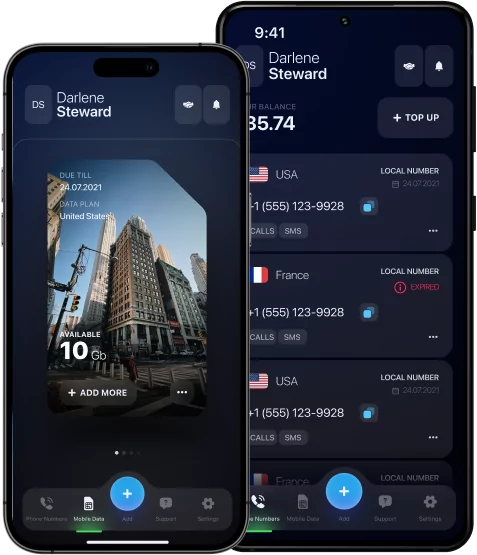
The modern UK data eSIM often offers built-in call blocking and availability management functions, allowing for flexible communication control without physical intervention.
The choice depends on the goals and the level of unavailability required.
Choosing the Best Way to Stay Unreachable
The best way to stay unreachable depends on your needs. If you need complete isolation, use airplane mode or SIM shutdown. To keep access to the Internet when blocking calls, manual network selection or call forwarding are suitable.
If it is important to simply avoid calls without being completely unavailable, do not disturb mode or silent mode will be an excellent solution. For more precise control, it is worth paying attention to specialized applications and eSIM capabilities.
Choose a method based on your convenience and the level of privacy you need.