
International Travel With iPhone — The Ultimate 2025–26 Guide for Smart Travelers

Traveling has become easier, smarter, and… more technologically advanced. Today, your iPhone is not just a smartphone, but a universal assistant that replaces a bunch of things: from paper tickets and cards to bank cards and translators.
But for it to really work for you abroad, it is important to take care of the connection, data security, and settings in advance, which will save money and nerves.
In this guide, there is everything a smart traveler needs to know: how not to lose touch in another country where it is most profitable to connect an eSIM, how to use Apple Pay without commission, and which iOS features will help you feel at home — anywhere in the world.



Why International Travel with iPhone Is Easier Than Ever
iPhone has become a full-fledged tool for comfortable and safe trips abroad. Today, it takes care of everything from buying tickets and booking hotels to navigation, text translation, and instant payments.
eSIM support allows you to connect to local carriers in a matter of minutes — without searching for SIM cards and overpaying for roaming. Apps like Wallet, Apple Maps, Translate, and Locator make your trip intuitive: you know exactly where you are, how to get there, what to say, and how to pay quickly.
With a new level of autonomy, data protection, and cloud integration, your iPhone has become not just a smartphone, but your personal guide, assistant, and cashier anywhere in the world.
*Discover: How to Call International For Free: The Best Way to Save Money.
Preparing Your iPhone Before International Travel
To ensure that your iPhone works smoothly abroad, set it up in advance. Here is a short but important checklist:
- Update iOS — the latest version of the system will ensure stable operation and access to new features, including security.
- Turn on “Find iPhone” — in case your device is lost, you can track it, lock it, or erase data remotely.
- Save important documents offline — tickets, reservations, and passports are conveniently stored in your Wallet or files accessible without the Internet.
- Make a backup copy — iCloud or a local backup will protect your data in case of failure or replacement of the device.
- Set up an eSIM or check roaming — connect to a favorable tariff in advance so that you do not lose touch.
A couple of minutes of preparation — and your iPhone is ready to travel as well as you are.
Check Carrier Compatibility and Roaming Options
Before traveling, make sure that your iPhone supports the required frequencies and is open to international networks. Recent models work according to the standards of most global carriers, but still check the list of compatible countries on Apple’s website.
Then contact your operator to find out if international roaming has been activated and what tariffs apply abroad. If you plan to use eSIM, download the profile of a foreign operator in advance via the app or QR code — it will only take a couple of minutes.
Such preparation will eliminate communication problems and help you stay online from the first minutes upon arrival.
Disable Unnecessary Data Use Before Traveling
Roaming charges can add up fast — especially if background apps use mobile data without your knowledge. A quick setup before your trip can save you money and stress.
Go to Settings → Cellular → turn off mobile data access for apps you won’t need while abroad. In App Store settings, disable automatic downloads and updates over cellular. Then, switch on Low Data Mode to limit background activity and unnecessary syncing.
These simple tweaks help keep your data usage in check — so you stay connected without the surprise bill.
eSIM and SIM Card Options for iPhone Travelers
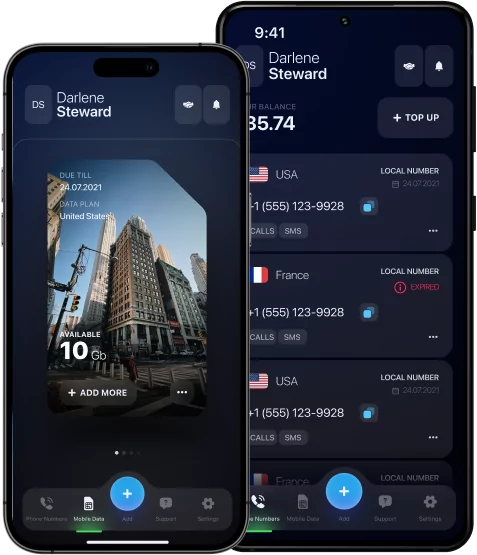
Traveling with an iPhone is becoming easier today, thanks to the ability to use both traditional SIM cards and eSIM — built-in digital SIM profiles. Canada data eSIM allows you to activate the tariffs of local operators remotely, without having to search for and change a physical card. This is especially convenient for those who often change countries: it is enough to download the desired profile via a QR code or an application and immediately get in touch with favorable plans.
Unlike a classic SIM card that needs to be physically inserted and replaced, eSIM provides flexibility and saves time. At the same time, the cost of eSIM tariffs is often lower than the roaming of a home operator, and managing multiple lines becomes easier — you can use a home number and a local tariff at the same time. However, eSIM requires support from the device and the operator, as well as an unlocked phone.
A traditional SIM card is versatile and compatible with almost all models, but connecting takes time and is often associated with additional roaming costs or the purchase of a new card.
As a result, for frequent travelers, eSIM is a modern, convenient, and cost‑effective solution, while a physical SIM card remains a reliable option for those who prefer simplicity and versatility.
Best eSIM Providers for International Travel
For international travel, it is important to choose a reliable eSIM service. For example, eSIM Plus offers wide coverage of more than 200 countries and convenient activation via QR code, including support for calls and SMS.
Airalo is famous for its variety of plans — from local to global — and its easy management via the app.
Nomad is a budget option with short-term plans and a speed limit after the main traffic.
Ubigi stands out for its stable connectivity and flexible pricing plans.
*Note: Remember that you need to choose a service based on coverage, price, and activation convenience to stay connected without unnecessary hassle.
Using Wi-Fi and Hotspots Abroad
Staying connected while traveling is a necessity, but connecting to the Internet abroad requires caution. Here’s how to do it safely and conveniently:
#1 Use only trusted networks
Connect to Wi-Fi only in official locations — hotels, restaurants, or airports. Avoid networks without a name or password — they can be created to steal data.
#2 Use VPN
Set up a VPN in advance. It encrypts all traffic, protecting you even on insecure networks.
#3 Choose a portable Wi-Fi
A portable Wi-Fi router or eSIM with international traffic is a great way to have a stable and secure Internet without depending on other people’s networks.
#4 Avoid auto-connections
Disable the automatic connection to Wi-Fi — the device should not choose the network for you.
#5 Keep track of access
Avoid logging into banking apps or entering passwords over the public Internet. It is better to postpone this until you are on a secure network.

Security Tips for Public Wi-Fi
Public Wi-Fi often seems like a lifesaver when traveling or in the urban rhythm — fast, free, and without unnecessary settings. But this accessibility hides serious risks. Open networks are almost always insecure, which means that your personal data, correspondence, passwords, and banking information can easily fall into the hands of intruders.
To avoid this, use a VPN every time you connect to an unfamiliar network. It encrypts traffic and makes your connection inaccessible to prying eyes. Online security does not start with technology, but with awareness — and today a secure connection is as important as Internet access itself.
*Discover: What is The Best Wi-Fi Calling App? Your Pocket Internet Assistant.
How to Manage Data and Roaming Charges
The Internet abroad can easily turn into an unexpected bill. To prevent this from happening, start with a simple one: disable roaming data transmission before connecting a profitable package or eSIM. Keep track of traffic consumption through your phone settings or the operator’s app, and it’s better to disable updates in advance.
For navigation and trips, download offline maps in advance — Google Maps or Maps.me, they work quietly without a connection. The same applies to translators and guidebooks.
The less you rely on constant online access, the more secure your account will be. A little preparation — and you stay connected without unnecessary expenses.
Essential Travel Apps for iPhone Users
Did you know that a journey does not start with boarding a plane, but with a couple of useful apps on your phone? Google Maps or Maps.me are best suited for navigation. Maps.me — both allow you to download maps and use them offline.
If you rent a car, Waze will tell you where the traffic jams are and how to avoid them.
Google Translate will help you with the language. It works with text, voice, and even photos, and most importantly, it is available without the Internet. The alternative is iTranslate, which is especially useful in dialogs.
Keep the financial side under control with XE Currency for exchanges and Trail Wallet — the app records expenses and helps you stay on budget.
With these apps, traveling will become quieter and more comfortable — everything you need is already on your iPhone.
Keep Your iPhone Safe During Travel
When traveling, it is important not only to enjoy the moment, but also to secure your iPhone. First, turn on the “Find iPhone” function — it will help you track the device in case of loss or theft. Do not forget to create regular backups in iCloud to save important data and restore it quickly if necessary.
Take physical care of your phone: use a reliable case and do not leave the gadget unattended in public places. Activating the screen lock with a password or Face ID is a simple but effective way to protect your personal information.
Make the Most of Your International Travel with iPhone
Before traveling, you should prepare your iPhone: sort out the SIM card or eSIM to avoid overpayments for roaming and control traffic. Disable auto-updates and monitor data consumption through special applications.
Download offline maps, translators, and budget trackers in advance to help you navigate and stay on budget. Do not forget to turn on backup and the “Find iPhone” feature — this will protect your data and device from loss.
With this approach, the trip will be comfortable and without unnecessary worries.