
How to Text from Computer — A Practical Guide for Everyday Users

Sending messages from a computer is not about the technology of the future, but about the convenience of the present. More and more people are working, studying, or just spending time on their laptops, and it makes sense: why constantly pick up a phone when you can reply to text messages directly from your computer screen?
This saves time, helps you avoid distractions, and simply makes everyday communication more convenient. It does not matter if you correspond with your family, receive codes from banks, or solve work issues — sending messages from a computer will allow you to do this faster and more comfortably.
In this article, let’s consider how to text from computer without technical knowledge. Everything is simple, clear, and without unnecessary confusion.



Why You Might Want to Text Someone from a Computer
There are several reasons and scenarios why you might want to send messages from your computer — and it’s not just about work.
Firstly, when you’re at your computer and focused on tasks, switching to your phone is distracting and hinders productivity.
Secondly, if the phone is out of charge or left in another room, but you need to answer urgently, the computer will help you out.
Thirdly, it is faster and more convenient to type on a computer, especially if you need to send a long text.
It’s also convenient during video calls: you can chat without interrupting communication.
*Discover: How to Send Text from Computer? All Methods Explained.

How to Text Someone From a Computer — The Basics
Sending a text message from your computer is easy and fast — even if you do not want to use your phone. There are several simple ways to do this:
- Email. You can send SMS via email if you know the address of the operator’s SMS gateway (for example, [number]@sms.gateway.com).
- Web messengers. WhatsApp, Telegram, Nicegram, and others allow you to write directly from the browser — just log in.
- Online SMS gateways. Special websites from which you can send SMS directly, without a phone.
These are basic methods that are suitable for different tasks, from business notifications to personal communication.
How to Text From Computer to Cell Phone
To send a text from a computer to a cell phone, you can use online SMS platforms or official websites of operators. On such resources, it is enough to enter the recipient’s number and the text of the message, and then send it with one click.
This is a convenient way when the phone is at hand, but you want to use a keyboard and a large computer screen. Many operators offer free or paid SMS services via a web interface, which makes the process simple and accessible to any user.
How to Text Message From Computer for Free
You can send a text message from your computer for free using several available tools. For example, most messengers have web versions where you can chat without using your phone. Also, some mobile operators provide the opportunity to send SMS through a personal account on the website without payment. In addition, there are services that offer free sending of messages in limited quantities — a great option for one-time messages.
These methods allow you to stay connected without spending money and time on additional applications.
How to Text From Computer Without Phone
To send text messages from a computer without a phone, you can use online applications and web-based messaging tools. Many services work entirely through a browser and do not require a smartphone connection, such as messengers with web versions or special platforms for sending SMS. In addition, VoIP services such as Google Voice allow you not only to make calls, but also to exchange text messages directly from a PC.
How to Text From Computer Using Your Phone Number
To send messages from your computer via your phone number, you need to link your device to a convenient messenger.
In iMessage, it is enough to use one Apple ID. All messages from your iPhone are automatically available on the Mac.
In Google Messages for PC, you just need to scan the QR code from the mobile app to sync SMS messages and reply from your computer.
Telegram links an account to a phone number, allowing you to write and receive messages simultaneously on all devices, including a PC.
This way you keep your usual number and communicate comfortably from any gadget.
*Discover: How to Send SMS Online? Step-by-Step Guide for International Communication.
How to Text From Computer to iPhone
If you want to send messages to iPhone users from a computer, the easiest way is to use the Messages app on a Mac. It syncs with your iPhone via Apple ID and allows you to send iMessage and regular SMS without your phone at hand.
For Windows users, messengers such as WhatsApp or Telegram are suitable, which work on any device and allow you to communicate with iPhone owners without restrictions.
How to Text From Computer to Android
Sending text messages from your PC to Android is easy and fast:
- Make sure that the Google Messages app is installed and configured on your phone.
- Open the website on your computer messages.google.com/web.
- In the application on your phone, select “Web Messages” and scan the QR code that appears on your computer screen.
After successful communication, you will be able to send and receive SMS messages through the browser without being distracted from your PC work.
How to Mass Text From Computer
Mass text messaging is sending the same message to many recipients at the same time. This method is often used for marketing, notifications, or important information.
To send mass SMS from a computer, it is available such special services and programs like Twilio — SMS messages or platforms for group communication. They allow you to upload a database of contacts, create message templates, and automatically send them to thousands of recipients in a matter of minutes.
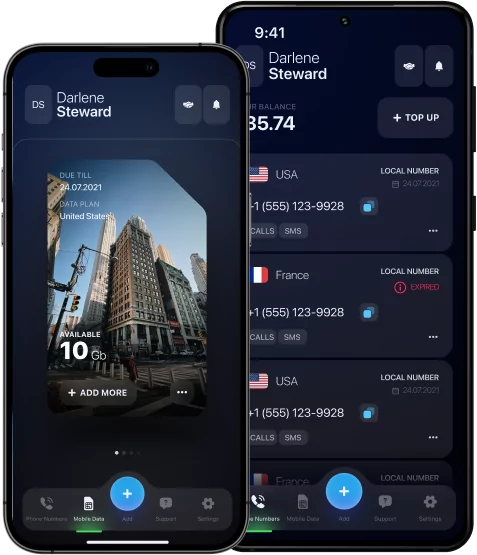
By the way, mobile communication is becoming more convenient and flexible thanks to modern technologies. One of these solutions is the USA eSIM — an electronic SIM card built into the device. It allows you to easily switch between operators and use local tariffs in different countries without replacing the physical card. It’s an easy and effective way to stay connected anywhere, saving time and money, especially when traveling.
Best Tools to Send Texts From a Computer in 2025–2026
In 2025–2026, sending text messages from a computer has become easier and more convenient thanks to modern applications and services.
For example, Google Messages for the Web is ideal for Android users — it allows you to sync SMS messages and reply to them directly from the browser without unnecessary settings.
MightyText expands its capabilities by adding scheduling and message management functions, making it a convenient assistant for active users.
Klaviyo and SimpleTexting are popular for businesses, which allow them to create personalized mass mailings by combining SMS with other marketing channels.
Twilio also offers a powerful API for integrating text messages into any application, which is especially valuable for developers and large companies.
Common Problems When Texting From a Computer (and Fixes)
When sending text messages from a computer, some typical problems can occur:
#1 Delays in delivery — unstable Internet or technical failures on the service side.
What to do?
It is worth checking the connection and restarting the program.
#2 Failed synchronization — the phone or computer is outdated, or the devices are on different networks.
What to do?
Update the software and reconnect to the same network.
#3 Incorrect phone numbers or operator restrictions.
What to do?
It is important to check the data and tariff.
Following simple recommendations, you will quickly fix most problems and continue to communicate comfortably from your computer.
How to Keep Your Texts Secure on Computer
To protect text messages on your computer, it is essential to follow a few simple rules.
Firstly, use end-to-end encryption applications to ensure that only the recipient sees your messages.
Secondly, avoid sending messages over public Wi-Fi, where data can be intercepted by intruders.
Thirdly, if you have to use someone else’s devices, always log out of your accounts after the session ends to prevent unauthorized access.
Such measures will help keep your correspondence private and secure.
The Future of Computer-Based Messaging
In the future, computer messaging will become even more integrated and convenient. The devices will work in a single space, providing instant access to correspondence and the ability to switch between them without losing context.
Enhanced security and the introduction of artificial intelligence (AI) will make communication not only comfortable but also as personalized as possible.
This evolutionary step will turn digital communication into an even more natural and unobtrusive process.